
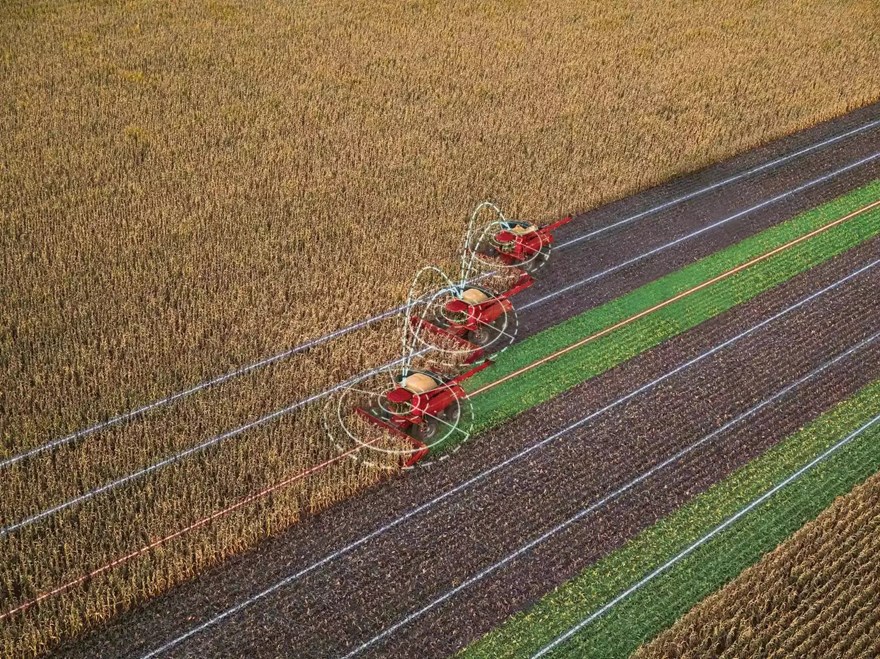
AccuSync

AccuSync

  • NEED A QUOTE? CLICK HERE Value Your Trade
  • Send to a Friend
  • Payment Calculator
  • Get information on the AccuSync

    Fields with asterisks* are required. Please email our helpful staff with any questions or comments using the contact form.

    Send your friend information on the AccuSync

    Fields with asterisks* are required. Your friend will receive an email that contains a reference to this page. Please send this email only to people you know who would be interested in this information.

    Requesting Trade In on AccuSync

    Contact Information
    Equipment Interested In
    Trade Information

    Request A Demo

    Fields with asterisks* are required.

    Loan Calculator

    Use the Loan Calculator to help you determine the financing and payment options that are best for you.

    Amount Financed ($)
    Interest Rate (%)
    Loan Term in Months
    Monthly Payment Calculated

    **The accuracy of this calculator and its applicability to your circumstances is not guaranteed. You should obtain personal advice from qualified professionals. This information is provided for illustrative purposes only and does not constitute an application. This notice does not guarantee loan approval, nor is it an offer or commitment to make a loan to you on the above terms.

AccuSync Features & Benefits

Setup

Less Downtime Means More Productivity

AccuSync makes setup a breeze and ensures maximum uptime when you pull into a field. Easily share guidance and coverage information with other operators while increasing productivity through real-time data sharing. There’s no longer a need for in-person line-of-sight on vehicles or constant radio chatter. Plus, you’ll save time and money on your high-value inputs.

Connectivity

Monitor Equipment Anywhere, Anytime

Integration – Starting with Model Year 2019 and newer machines, AccuSync is fully compatible with most Case IH equipment utilizing 4G Case IH hardware (PCM) and the Pro 700 display (back to tier 4A) and is compatible with equipment with Pro 1200 displays. Plus, with the power of FieldOps™, aggregate, sync, and visualize data from multiple machines operating in a single field and use those insights for future planning.

Display Compatibility:

  • Pro 1200 to Pro 1200
  • Pro 700 to Pro 700 Plus
  • Pro 700 Plus to Pro 700 Plus
  • Pro 700 Plus to Pro 1200

Contact your local Case IH dealer for information on acquiring a subscription to AccuSync.

Collaborative Field Tasks

How to Join a Job

First, ensure you have an AccuSync subscription, and all equipment is in the same FieldOps account.

Second, when in the field, the lead machine creates a new job and selects the boundaries and swaths to share.

Third, the other machines open AccuSync within the toolbox (Pro 700/Pro 700 Plus) or operations screen (Pro 1200), find the applicable job, and join.

AccuSync Specs & Compare